Buying Specific Goods & Services
This page provides guidance to support compliance and efficiencies in procurements at UC Riverside. It highlights purchasing methods and policy for specific Goods and Services—such as Info Technology, Professional Services, Medical/Life Sciences and other specialized commodities—which may require additional reviews, approvals, competitive bidding, and use of UC Agreement suppliers, etc.
The appropriate buyer should be contacted if you need further information.
-
Audio Visual
Commodity Expert: Kathy Ensign
UCR has a Multimedia and Classroom Technology Department. If you are looking for an audiovisual upgrade or audiovisual parts, please go to multimedia.ucr.edu and fill out the form, selecting installation as the drop-down. There are campus standards, and UCR’s Multimedia group can assess and guide you based on your needs. Multimedia will follow up with you and include any other trades that need to be involved, such as network, carpenters, electricians, etc.
Note: Extron is the campus standard for controlling A/V.
Once you have consulted the Multimedia Department, they may suggest using one of the UCOP contracts for audio-visual parts and installation. General Audio Visual equipment (TVs, video-conferencing hardware) may be available from UCOP authorized resellers, including CDW and B&H Photo, as well as through the three UCOP Audio-Visual Agreements listed below:
AVI-SPL LLC, Agreement 2019.001535
Contact: Jourdan finch
Email: Jourdan.finch@avispl.comOne Diversified, LLC, Agreement 2019.001433
Contacts: Sue Ward-Llewellyn and Tracy Cleary
Sue Ward-Llewellyn is primary sales contact
Email: sward-llewellyn@diversifiedus.com/tcleary@diversifiedus.comLightwerks Communications Systems Inc., Agreement # 2019.001434
Contact: Jackson Mares
Email: jmares@lightwerks.com
Building Permit
When audiovisual equipment is installed, anchored to a wall, attached above the ceiling, or new cables run behind a wall, it requires a building permit. The Planning and Design Department will review the application for fire and building codes.
How to Submit Drawings for Review
- Visit the Building & Safety Portal.
- Log in or register to create a username and password.
- Click "Apply for Review or Permit," select "Campus Building Permit," and choose the appropriate Subtype.
- Complete the application and upload all required documents, including the dealer’s dimensioned drawing. Be sure to list the UCR department contact on the application.
Creating a Requisition
Upload the quote and approved building permit to the requisition under the Category “Miscellaneous’.
-
Branded/Promotional Items
Commodity Expert: Henry Gutierrez

Promotional items and branded materials are subject to UC gift policy and UCR brand requirements. This guidance explains how to buy UCR-branded items the right way—so purchases are compliant and completed without rework.
Step 1: Confirm Whether It’s a Gift
Before you buy, confirm the recipient and the applicable policy:
- Gifts apply to employees (BFB G-41) and non-employees (BFB G-42)
- UCR-logo promotional items: ≤ $75 per person
- If the value of the item is > $10, pause and review G-42. This could be for free handouts at events, marketing, etc.
Step 2: Get Artwork/Logo Approval (Required)
All UCR logos and branded artwork must be approved before ordering.
- For college, school, and center logos, contact your marketing communication manager (Marketing/Creative Design representative).
- If your school/college or center does not have a marketing communications manager, please contact Denise Wolf at denise.wolf@ucr.edu.
Trademark compliance, Sustainability, Fair Labor Association (CLC) requirements, and Small Business First goals.
Step 3: Choose Where to Buy
UCR's Preferred UC Agreement Suppliers:
- Gorilla Marketing (Supplier ID # 2000000461) --> Please send purchase orders to accountsreceivable@gorillamarketing.net
- I.D. Me Promotions (Supplier ID # 0000083899)
- Manhattan Stitching - coming soon
- Consolidus - coming soon
- Club Colors Buyer (Supplier ID # 0000044103)
Other UCR-branded shopping options
- Campus Bookstore (Spirit Shop)
- UCR online stores that already offer branded items (e.g., UCR shop / Highlanders store)
Retirement gifts (UCR Staff Retirement Program)
As part of the UCR Staff Retirement Program, retirement gifts may be purchased via PCard from approved agreement suppliers, including Corporate Traditions and MTM Recognition, in accordance with HR policy limits. Visit the program webpage for additional details and purchase thresholds.
Step 4: Purchase Through Oracle (or Approved PCard Channels)
- Purchase branded items through Oracle or approved PCard channels (as applicable)
- Follow standard ordering procedures for issuing a PO and use the correct supplier record
- Attach required documentation
Important Supplier Note: No New Promotional Product Suppliers in Oracle
No new promotional product suppliers will be added to Oracle at this time. If an agreement supplier cannot meet the business need, contact Procurement Services (Henry Gutierrez) to discuss the use of an exceptional supplier. Exceptional suppliers are not UC Agreement–awarded but have formally agreed to comply with UC Terms & Conditions (Article 6) and the UC Trademark Licensing Code of Conduct. When using these suppliers, departments are required to obtain competitive quotes:
- More than one quote for purchases over $10,000
- Three or more quotes for purchases over $50,000
The “Perfect Purchase” Checklist
Goal: Complete the purchase once—without rework, delays, or policy issues.
- Confirm eligibility (G-41 vs G-42; dollar limit)
- Obtain artwork/logo approval (Marketing Comm Manager or Denise Wolf)
- Follow standard ordering procedures for issuing a PO and use the correct supplier Oracle Agreement.
- Purchase in Oracle (correct supplier record + attach all required documentation). Orders may not be placed without the appropriate approval documentation.
-
Bus Charters
Commodity Expert: Ana Cotton
Purchase Order Guidelines
- Only pre-approved bus charter companies may be contracted to provide services to UCR staff and students. Procurement Services maintains a list of all bus charter companies approved to provide service to the University.
- Do not begin negotiations with bus charter companies not on this list without contacting Procurement Services first.
- Call the contact person listed below to use any of the following companies.
- Procurement has not negotiated prices with the vendors; you must negotiate prices on an order-by-order basis.
- A purchase order must be issued when one of the following pre-approved Bus Charter companies is selected for a campus event.
Supplier
Contact
Phone
Address
Expires
Alliance Bus Lines (School Buses) Rick Gregory 909-983-0443 1247 West Brooks Street, Ontario, CA 91762 9/25/2015 Allure Sedan Service (Private Car) Cynthia Shelley 877-530-7783 7988 Henbane Street, Rancho Cucamonga, CA 91739 Expired Cardiff Limousine Karen Young 760-568-1403 75255 Sheryl Avenue, Palm Desert, CA 92211 7/10/2014 Coach America (Long Beach) Claudia Gamboa 562-634-7969 3333 E. 69th Street, Long Beach, CA 90805 Expired Empire Transportation (School Buses) Leslie Braden 951-685-9582 3955 Hawk Drive, Riverside, CA 92509 10/6/2014 Gold Coast Tours, Hot Dogger Tours Stacey Wilkerson 714-449-6888 105 Gemini Avenue, Brea, CA 92821 10/1/2014 H&L Charter Co Jodi Merritt 909-466-3984 8801 Helms Avenue, Rancho Cucamonga, CA 91730 5/21/2016 Inland Empire Stages Stacey Key 909-466-4191 9567 8th Street, Rancho Cucamonga, CA 91730 8/31/2015 Larco Enterprises Bill Coats 626-688-2366 1032 E. Lemon Street, Monrovia, CA 91016 11/22/2014 Lin Lines Lynn Ford 760-969-4230 1801 E. Tahquitz Canyon Way, #100 Palm Springs, CA 92262 6/3/2015 Ryan’s Express Chris Sanchez 310-219-2960 13020 Yukon Avenue, Hawthorne, CA 90250 Expired Shalimar Tours Dennis Villard 909-923-1100 1621 E. Cedar St., Ontario, CA 91761 7/25/2015 Southern CA Gray Line (Anaheim) Teresa Harshfield 714-507-1135 2001 S. Manchester Avenue, Anaheim, CA 92802 Expired If you want to add a new company to the list, contact Ana Cotton at x-23005 (ana.cotton@ucr.edu)
-
Caterers & Food Sources
Commodity Expert: Matthew Burke
Pre-Qualified, Off-Campus Caterers
“Caterers” are defined as food sources that are setting up, preparing or serving food or drinks on the campus. To use a caterer, you will need to follow Policy 5402 and receive Concept Approval before you begin an HRMS request. See Contracting Out for Covered Services for instructions. All catered events must be sent to Procurement Services as a requisition.
AGREEMENT NO.
Description
Supplier
2215 Caterer - El Ojo De Agua EL OJO DE AGUA MEXICAN FOOD 2832 Caterer - Honey Greens HONEY GREENS JUICE BAR 2366 Caterer - Kona Ice of Moreno Valley S & CG INC 2846 Caterer - LA Hotdogs & Munchies GRACIELA MEJIA UCRA00000015 Caterer - McGrath's Catering MCGRATH'S CATERING 2651 Caterer - Tacos Los Machettes SALVADOR LLAMAS 2141 Caterer - Zacatecas Cafe JON MIKE MEDINA DBA
Pre-Qualified, Outside Food Sources“Outside Food Sources” are defined as Take-Out or Delivery ONLY (drop-off and go, NO set-up) and do NOT apply to Policy 5402. UCR Procurement Services maintains the list of pre-qualified Outside Food Sources below. ONLY pre-qualified Outside Food Sources from this list may be used to furnish on-campus food to UCR staff and students. Outside Food Sources cannot be used for catering services.
To reactivate expired Outside Food Sources, please email a current COI and Health Permit to Matt Burke. If you're interested in adding a new vendor or using an Outside Food Source for catering services, contact Matt Burke at 951-827-3095 (or campus ext. 2-3095).
Procedures:
The following suppliers have been pre-qualified to furnish food for UCR. If selected for a campus event, a department may place the order provided the total cost is within their $10K purchasing authority. If the order exceeds $10K, a purchase requisition must be submitted to Procurement Services.
When planning events, be sure to visit this link to be sure your meals are with UC policy guidelines. In most cases, Procurement Services has not negotiated prices with the suppliers so you will need to negotiate prices on an order-by-order per volume basis.
AGREEEMENT NO.
Description
Supplier
2212 Food (PD) - Bristol Farms BRISTOL FARMS 2403 Food (PD) - Mario's MARIO'S ITALIAN CAFE 2281 Food (PD) - Sherman's Deli SHERMAN'S DELICATESSEN & BAKERY EAST 2834 Food - Baba's Chicken MHOC, INC. 2125 Food - Baguette Bakery & Cafe BAGUETTE BAKERY & CAFE UCRA00000110 Food - Best Thai AP BEST THAI 2835 Food - Blaze Pizza R&J RESTAURANTS LLC UCRA00000138 Food - Blue Burro BLUE BURRO RIVERSIDE 2149 Food - Boba Tea House E AND C BOBA INC 2169 Food - Chick-Fil-A (Canyon Springs Pkwy) CHICK-FIL-A 2840 Food - Desert Moon 888 BROOKHURST INC 2804 Food - El Ojo De Agua EL OJO DE AGUA MEXICAN FOOD 2825 Food - Flame Broiler FLAME BROILER 2849 Food - Flavor Theory DHRUVAL R PATEL UCRA00000075 Food - Georgie's Mediterranean Cuisine GEORGIE'S MEDITERRANEAN CUISINE 2128 Food - Goodwins Organic Foods GOODWIN'S & SONS INC UCRA00000064 Food - Grocery Outlet GROCERY OUTLET 2850 Food - James Madison JONATHAN GONZALEZ 2687 Food - L&A Donuts LISA S CHEN 2818 Food - Las Ploras LAS PLORAS 2500 Food - Lee's Sandwiches 1889 UNIVERSITY INC/DBA LEE'S SANDWICHES 2151 Food - Marcello's Pizza RG & J ENTERPRISES INC 2848 Food - Mario's Italian Cafe JLW VENTURES 2803 Food - McGrath's (delivery or takeout) MCGRATH'S CATERING 2854 Food - Mercardo Don Juan #3 MERCADO DON JUAN 3, INC 2533 Food - Nothing Bundt Cakes BATB INC DBA NOTHING BUNDT CAKES 2385 Food - Panera Bread PANERA BREAD COMPANY 2906 Food - Raising Cane's Restaurants RAISING CANE'S RESTAURANTS LLC UCRA00000092 Food - Smoke and Fire Social Eatery SMOKE & FIRE SOCIAL EATERY RIVERSIDE LLC 2867 Food - Stop N Shop ANWAR TABEL UCRA00000074 Food - Taco Station TACO STATION 2810 Food - Tacos Los Machettes SALVADOR LLAMAS 2862 Food - The Freaky Cookie THE FREAKY COOKIE LLC UCRA00000034 Food - The Habit Burger THE HABIT BURGER GRILL 2872 Food - University Pizza Company RBVA LLC UCRA00000060 Food - Zacatecas Cafe JON MIKE MEDINA DBA -
Cell Phones
Commodity Expert: Henry Gutierrez
Campus Procedures for Cell Phone Purchases and Services

Many departments require staff and/or faculty members to carry cellular telephones (or other cellular devices) to fulfill their campus responsibilities. UC has negotiated the most favorable terms and conditions with AT&T and Verizon Wireless to assist in obtaining the best value in equipment and service plan rates.
The following procedures apply to all cell phone suppliers
1. Establishing a Department PCard Holder as a Billing Account (BAN) Manager with AT&T or Verizon Wireless
Only authorized department personnel should contact AT&T or Verizon Wireless to establish new plans, change existing plans, or place orders for replacement phones and/or accessories.
Procurement Services Point of Contact (POC), Henry Gutierrez, Primary or Ana Cotton, Secondary, will guide the Department through the process.
To be added as a BAN Manager with AT&T or Verizon Wireless, departments must first receive approval from their department's Financial and Administrative Officer (FAO) or Financial Operational Manager (FOM). An email from the department's FAO or FOM accepting financial responsibility and approving the request should be forwarded to the campus POC.
Departments can work with our Wireless Services Sales Reps before contacting the campus POC. All communications should be clear and concise.
Access to these web portals, AT&T Premier and Verizon MyBusiness, allows the Department BAN Managers to manage their billing account numbers, make payments online, and are secure websites. Contact the campus POC first, who can add BAN Managers with the appropriate approvals, and include our Sales Reps, as needed, for assistance.
2. Equipment & Services
When considering the purchase of equipment, accessories, and services, BAN Managers should contact the UCR Wireless Services Sales Reps of either company for information regarding equipment prices and service plan rates available at the time.
3. Recurring Billing Charges
A University of California, Riverside Procurement Card must be used to pay for all cellular device monthly billing charges.
4. Reconciliation / Source Documentation / Record Management
As with all Procurement Card and financial transactions, departments must review monthly statements for billing accuracy. Monthly billing statements must be available upon request and retained for three years. Reconciliation, source documentation, and record management of all cellular billings must follow Procurement Card policies and procedures, as addressed in Procurement Card Policy 750-70.
5. Reviews of Service Plans
Departments are encouraged to periodically review their employees calling plans to ensure the most cost-effective plan is being used.
6. Sales Representatives
AT&T Contacts:Larry Lafferty (Landline Only)
larry.lafferty@att.net or ll2769@att.netAmanda Eliades-Felt (Wireless Services)
ae685f@att.com
(Assistant/Backup: Lisa Avila-Hernandez lavilahdz@givebackwireless.com)Aaron Widmann
aw9895@att.comVerizon Wireless Contacts:
Don Kantanon
don.kantanon@verizonwireless.com(Backup: George Barela - george.barela@verizonwireless.com)
-
Contracting Out for Covered Services
Commodity Experts: Gae Purvis & Susan Uyemura (Human Resources)
If you need temporary outside support for work that may fall under Covered Services, email coveredservices@ucr.edu. We strongly encourage using vetted suppliers. HR and Procurement can help identify appropriate options based on your needs.
Why this approval process exists
“Contracting out” means hiring an external vendor/contractor to perform work typically handled by AFSCME-represented employees. “Covered Services” refers to the specific job functions involved. At UCR, Covered Services are currently limited to AFSCME SX and EX classifications. Because contracting out has compliance requirements, the University requires review and approvals before a Purchase Order (PO) can be issued.
Important: Covered Services contracting out policies apply when services are performed at any UC location, including University-leased or -owned facilities. SB 820 imposes additional restrictions for state-funded buildings. If you are unsure whether Covered Services requirements apply to your location, contact coveredservices@ucr.edu.
Examples of Covered Services
- Cleaning, custodial, and janitorial services
- Food and laundry services
- Groundskeeping and building maintenance
- Transportation, parking, and security
- Clinical support (billing/coding, sterile processing, nursing/medical imaging technicians)
- Catering services only when the supplier stays onsite and serves food (not delivery-only)
UCR Service Departments (internal options must be explored first)
Managers and supervisors must explore internal options for completing work at UC Riverside prior to contracting out with a third-party supplier. Staffing options include overtime, stipend, temporary reassignment of work, out-of-classification assignment, limited non-recruitment, and open recruitment. Cost savings or convenience cannot be a factor in forgoing internal options if UCR staff are available and have capacity to perform the work.
Departments must also consult the appropriate campus service units prior to contracting out for Covered Services, including areas such as food service labor, moving services, custodial/janitorial, transportation, and security services.
Common service units include:
- Catering / Food Service: UCR Dining Services – Catering Services (e.g., Citrus Grove Catering) / CRATE by Citrus Grove Catering
- Cleaning / Custodial / Janitorial: Facilities Services – Custodial Services
- Event Setup: Facilities Services – Event Requests / Hospitality Services – Plan an Event
- Multimedia/AV Support: ITS Multimedia Request Form
- Parking & Transportation: Transportation and Parking Services (TAPS) / Transportation & Parking Services – Event Parking
- Security Services: UCR Police Department (UCRPD)
This is not exhaustive list, view this brochure for additional common covered services. For consultation on alternatives and Covered Services requirements, please contact coveredservices@ucr.edu.
What to do when you need Covered Services
All Covered Services requests must go through the following two-step process:
Step 1: Concept Approval (required)
Submit the HR Covered Services Concept Approval Request via HR ServiceNow (HR Service Request). Include required supporting documentation:
- Supplier estimate/quote
- Justification from the UCR service department
- Event details (date, time, location)
- HR Service Request: https://hr.ucr.edu/hr-service-request
- Training Guide: hr-covered-services-request.pdf
Time-sensitive needs: If your event occurs in less than 7 days, email coveredservices@ucr.edu immediately for expedited guidance.
Step 2: HRMS “Contract Out” (if required)
If Concept Approval indicates HRMS is required, submit an HRMS “Contract Out” request and obtain approval before the event/outside support begins. An HRMS number (or approved exception email) is required before submitting a purchase requisition in Oracle.
- HRMS Request: https://hrms.ucr.edu/app/home (select Contract Out)
- Training Guide: hrms-contracting-out_initiate-and-approve-resource-guide_final_0.pdf
After approvals: Submit your Oracle Purchase Requisition
Once approvals are obtained, begin the Oracle Purchase Requisition process. Attach the following to your requisition:
- If HRMS not required: attach Concept Approval determination / RITM#
- If HRMS required: attach Concept Approval + HRMS approval documentation
- Supplier quote/estimate for services
- Supplier email address
Missing documentation may result in delays or the requisition being returned for correction.
Training and resources
- Contracting Out for Covered Services Cheat Sheet
- How to Submit a Concept Approval Request (UCLC)
- Training Guide: Concept Approval
- Training Guide: HRMS “Contract Out”
- Contracting Out for Services - UCR Local Procedures
- UCOP Covered Services resources (SSO required)
Need help?
For vetted suppliers, questions, or emergency/expedited requests: coveredservices@ucr.edu
-
Controlled Substances
Commodity Expert: Katie Inglett-Mendoza
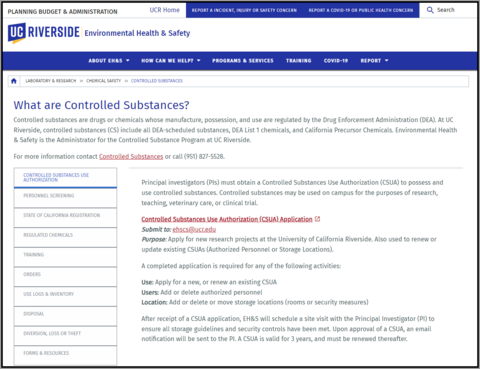
Controlled substances are drugs or chemicals whose manufacture, possession, and use are regulated by the Drug Enforcement Administration (DEA).
At UC Riverside, controlled substances (CS) include all DEA-scheduled substances, DEA List 1 chemicals, and California Precursor Chemicals. This may include illegal drugs and prescription medications.
UCR currently maintains a federal Drug Enforcement Administration (DEA) registration governing the use of controlled substances for the purposes of research, teaching, veterinary care, or clinical trial. Environmental Health & Safety (EH&S) is the Administrator for the Controlled Substance Program at UC Riverside.
What Information is Required on a Purchase Requisition for Regulated Chemicals?
A detailed explanation of the entire process is available on the UCR EH&S website: https://ehs.ucr.edu/laboratory/chemical/controlled-substances
For more information contact Controlled Substances or call (951) 827-5528.
-
Furniture
Commodity Experts: Kathy Ensign
Use this checklist to gather all required documentation and approvals before submitting a furniture requisition in Oracle. Required documents must be attached to the requisition to avoid delays or return for correction.
1. Important Notes Before Creating a Furniture Requisition
☐ Restrictions - Chairs and furniture from Amazon, Home Depot, Uline, and Ikea will not be approved for purchase.
☐ Fire & Safety Compliance
- Chairs must be fire-rated to TB-117
- Chairs must not have a CA Prop 65 label, which indicates the presence of chemicals known to cause cancer or harm
☐ Receiving Requirement - Once your furniture arrives, receive-in the PO lines so the vendor’s invoice can be processed for payment.
☐ Alternative Option - Campus Business Services’ ScotSurplus offers used but functional furniture for campus use.
2. Furniture Quotes – Approved Furniture Suppliers Only
The office furniture quote must be from an approved furniture dealer:
Steelcase Brand and Other Brands
Dealer: Hyphn (formerly BKM)
UC Agreement #: 2019.001899
Sales Contact: Thomas Gallagher
Email: tgallagher@bkmsd.com | Phone: 858-220-4108
Email POs to: Anthony Reese – areese@bkmsd.com
Note: Hyphn furniture returns will be assessed a 35% restocking fee.Herman Miller-Knoll Brands (Certified woman- and minority-owned business)
Dealer: G/M Business Interiors
UC Agreement #: 2019.001890
Office Phone: 800-686-6583
Sales Contact: Alan Hernandez – ahernandez@gmbi.net
Inside Sales / Job Captain: Cindy Ramirez – cramirez@gmbi.netBluespace Interiors
Bluespace Interiors provides office furniture to UC Riverside, UC Irvine, and other universities.
UCR Agreement #: 2757
Dealer for: Kimball, KI, HON, Teknion, Sit On It, and other brands.
Also carries healthcare and laboratory furniture.Primary sales contacts for furniture projects:
- Ken Gordon – ken@bluespaceinteriors.com
- Jeannette Barber – jeannette@bluespaceinteriors.com
For smaller transactional orders (1–30 chairs):
Contact the Bluespace UCR quote team at ucr@bluespaceinteriors.comKimball Brand
Dealer: Quality Office Furnishings
UC Agreement #: 2019.001896
Sales Contact: Jason Sullivan – jsullivan@qualityofficefurn.com
Email POs to: cs@qualityofficefurn.com
Office Phone: 714-692-6667
3. Task Chairs – Ergonomic Requirements
Process Flow: Need identified → Ergonomist evaluation → Select approved chair/brand → Get quote (approved dealer) → Requisition to PO → Receive-in PO lines
☐ University of California has ergonomic task chair agreements with these brands: Steelcase, AMQ, Herman Miller, Ergonomic Comfort Design (ECD), Sitmatic, SitOnIt, and Office Master
☐ These brands have 10–12 year warranties on components, parts, and labor
☐ Task chairs with arms must have 4-way adjustable arms (up/down and in/out).
Note: Fixed-height, non-adjustable armrests are not recommended and will not be approved☐ For individual task chairs, contact the campus ergonomist for an ergonomic assessment: Jansen Cunanan – Jansen.cunanan@ucr.edu
- Ergonomic assessment is highly recommended for individual task chair requests (employee discomfort, injury risk, or special need).
- Non-standard chairs require justification
- Funding support of $200–$250 may be available for an approved task chair. If approved, the department must initially charge the purchase to their COA and process a Non-Payroll Cost Transfer (NCT) to apply the funding support.
4. Notes for Obtaining a Furniture Quote
☐ All fabrics (chairs, fabric panels) must meet fire rating TB-117
☐ Height-adjustable desks must:
- Adjust from 22”–48” high
- Minimum desk/table width is 48”
- 3-stage legs are typically required
☐ If ordering more than one desk and a task chair, request a dimensioned drawing from the dealer showing aisle spacing and ADA compliance
☐ If the quote is for a room with only a couple chairs and a desk, the requisition may be created without a Building Permit
5. Building Permit Requirements
Process Flow: Need identified → Ergonomist evaluation → Select approved brand → Get quote (approved dealer) → Determine if drawing/building permit is required → Requisition to PO → Receive-in PO lines → Building & Safety Onsite Inspection☐ A Building Permit is required for furniture other than one desk and a chair. The dimensioned drawing must be submitted to CitizenServe for review
☐ The drawing will be reviewed for:
- California fire code compliance
- ADA compliance
Items That Require a Building Permit
- Installing or anchoring glass writing/magnetic boards on walls
- Marker boards or tackboards protruding more than 4” from a wall
- Panel systems, partition walls, privacy walls, or partitions with doors
- Bookshelves or cabinets over 60” high (must be wall-anchored)
- Additional requirements are maintained by Building & Safety
Submitting a Drawing for Review
- Visit the Building & Safety Portal: https://www.citizenserve.com/ucr
- Log in or register
- Click Apply for Review or Permit → Campus Building Permit
- Under Subtype, select Furniture. Choose one of the following:
a. Furniture – Mobile (mobile furniture, e.g., sit-to-stand desks)
b. Furniture – Systems (cubicles with new panels and offices with new walls) - Upload the furniture dealer’s dimensioned drawing (showing spacing in inches)
- List the UCR department contact on the application
Note: Allow 14 business days for permit review. In the event the plan review manager or fire marshal have additional questions, an additional 10 business days will be required.
6. Required Document Uploads and Requisition Setup in Oracle
☐ Attach supporting documentation
- Quote from an approved furniture dealer
- Dimensioned drawing (for permit review, if applicable)
- Approved Building Permit (if applicable)
☐ Upload the quote and approved Building Permit under Attachment Category “Miscellaneous.” (Attachments under “Internal to Requisition” do not transfer to the Purchase Order.)
☐ Permit trigger: If ordering more than a task chair and desk, upload the dimensioned drawing in CitizenServe for review. Planning & Design review checks ADA aisle space and fire/safety.
☐ Purchasing Category Codes:
- Use 541000 for all furniture-related lines, including design, assembly, installation, and tariff/surcharge fees
- Use 543100 for freight
☐ Tax treatment - Taxable: all lines (assembly, installation, freight, tariff/surcharges are taxable) except Design Fees.
☐ For Hyphn (formerly BKM) orders: Add a separate line for Administrative/Inflation surcharge and mark it taxable.
☐ Verify totals - Ensure the requisition total (including tax) matches the quote total
☐ Quote signature requirement - A signature is required on the quote for custom items to confirm brands, styles, and colors
☐ Requisition line setup
- Use Furniture Non-Inventorial category for all furniture lines
- Paste the Part Number from the quote into the Supplier Item field
- Paste the furniture description from the quote into the Description field
☐ After installation - Receive-in PO lines so the vendor invoice can be paid
8. Furniture Orders Under $10K
☐ Furniture orders under $10K should be created and sent to the dealer by the transactor
Process Overview
- Transactor submits the requisition for approval
- Procurement Services reviews to confirm:
- Building Permit is attached (if required)
- Quote total matches requisition total
- Requisition routes back to the transactor to:
- Add furniture email contacts
- Send the PO to the dealer
9. Exterior Space Orders (Patio Furniture)
☐ Patio furniture must be reviewed by the Exterior Space Committee (ESC) and include ADA-compliant pieces
☐ Submit the Exterior Space Request Form with detailed information. Learn more: Exterior Space Request Process | R’Projects (ucr.edu)
Approved Patio Table Brands
- Maglin (ordered directly from Maglin)
- Emu America (through approved dealers)
- Source Furniture – Vienna brand
- Via Seating (Tahoe.h24 collection)
10. Laboratory Stools and Worktables
☐ Chemistry stools: National Public Seating (NPS)
☐ Laboratory seating and workbenches are purchased from:
- Avantor Sciences (formerly VWR)
- Fisher Scientific
- Genesee Scientific
☐ All laboratory furniture must have a fire rating
Avantor Sciences (formerly VWR)
Furniture sales rep: Brenna Madruga
Email: Brenna.madruga@avantorsciences.com
General UC contact: uc@avantorsciences.com
Sales Manager: Breanne Custodio
Email: breanne.custodio@avantorsciences.com
Fisher Scientific
Fisherbrand Lab Furnishings
Laboratory tables and products: https://fisherlabfurniture.com/
Contact both Nahee Kim – nahee.kim@thermofisher.com & Cynthia Abraham (Lab Builders partner) – Cynthia@labbuildersinc.comGenesee Scientific
Local sales representative: Erik Lawson – elawson@geneseesci.com | 858-357-2032
11. Event Folding Chairs and Tables
☐ Grainger carries folding chairs and tables approved by the National Public Seating (NPS) brand
-
Hotels (Local)
Commodity Expert: Ana Cotton
When planning hotel stays and events for University Business, review Campus Policy Number 200-44 - Entertainment, Business Meetings, and Other Occasions to ensure policy compliance. Additional related-travel resources: UCR Travel and Entertainment & UC Traveler Insurance Coverage
Local Hotel Agreements
eBuy Agreement # VENDOR NAME
CONTACT
UCR RATES & AMENITIES
EXPIRES
318 Mission Inn Hotel & Spa
3649 Mission Inn Avenue
Riverside, CA 92501
www.missioninn.comUCR Direct Billing Account # 0304
Please note that the UC Riverside discounted rate is subject to availability. This means that when the hotel is booked to 85% capacity or greater, the UCR rate will NOT be available. The rate is available only Sunday through Thursday nights, Friday and Saturday nights will be at the prevailing rate at the time of booking. Also, these rates are not available during their Festival of Lights.
For Group Sales (10+ guest rooms, with or without function space) please contact:
Joseph Orozco (Sales Manager):
(951) 341-6715 Direct / (951) 784-5525 Fax /jorozco@missioninn.comFor individual guest room reservations, please contact the room reservations department at 800-843-7755 or make online reservations at www.missioninn.com and use Corporate Code: UCR.
Vanessa Angulo
-contact for individual reservations
You can also email them at:
reservations@missioninn.comDeluxe Room Rate - $189 per night, plus Occupancy Taxes double occupancy with PO
Friends & Family - $219 per night plus Occupancy TaxesResort Fee is waived
Rate Includes:
- Complimentary internet in guestrooms
- Complimentary use of Fitness Center
- Complimentary use of the Eucalyptus Steam Room
When booking groups of 10+, the room rate concessions will change. Please refer to each individualgroup booking for specifics.
11/19/2026 322 Riverside Downtown Marriott
3400 Market Street
Riverside, CA 92501
www.marriott.com/ralmcCorporate Booking Code: UCO
For Group Sales (10+ guest rooms, with or without function space) please contact:
Karina Quiroz (Sales Manager):
(951) 786-7101 Direct / karinaquiroz@remingtonhotels.comFor individual guest room reservations, please contact the room reservations department at 951-784-8000.
Run of House Rate - $159 per night, plus occupancy taxes, single/double occupancy
Rate Includes:
- In Room Internet Access
Parking is additional
12/31/2026 321 Courtyard by Marriott
1510 University Avenue
Riverside, CA 92507Marnie Giacoletti (Sr. Sales Manager):
(626) 232-0091 / (951) 276-1200 / sales@courtyardriverside.comRun of House Rate - $139 per night, plus occupancy taxes, double occupancy
Rate Includes:
- Free Self-Parking
- In Room Internet Access
12/31/2026 2334 Hyatt Place
3500 Market Street
Riverside, CA 92501
www.hyattplaceriversidedowntown.comKarla Pierre (Director of Sales):
(951) 321-3504 Direct / (951) 248-0727 Fax / karla.pierre@hyatt.comKing Room Rate - $162 per night, plus occupancy taxes
Double Room Rate - $142 per night, plus occupancy taxesRate Includes:
- Free Hot Buffet Breakfast
- In Room Internet Access
- Remote Printing
- Discounted Self-Parking @ $18.00 per night
12/31/2026 n/a Hampton Inn Downtown Riverside
3505 Market Street
Riverside, CA 92501
www.hamptoninndowntownriverside.comJennifer Ortega (Director of Sales):
(951) 788-5000 jennifer.ortega@greens.com jennifer.ortega@hilton.com
King or Double Room Rate - $139 per night, plus occupancy taxes
Rate Includes:
- Complimentary Hot Breakfast Buffet
- Wi-fi
- Discounted Self-Parking @ $29.00 per night
12/31/2026 n/a Home2Suites Riverside Downtown
3870 5th Street
Riverside, CA 92501
Riverside Extended Stay Hotel - Home2Suites by Hilton Riverside DowntownJennifer Ortega (Director of Sales):
(951) 344-3100 jennifer.ortega@greens.com jennifer.ortega@hilton.com
Studio Room Rate - $149 per night, plus occupancy taxes
Rate Includes:
- Complimentary Hot Breakfast Buffet
- Wi-fi
- Full Kitchen
- Discounted Self-Parking @ $29.00 per night
12/31/2026 2270 Ayres Hotel & Spa
12631 Memorial Way
Moreno Valley, CA 92553
http://www.ayreshotels.com/inland-empire/hotel-and-spa-moreno-valley.aspxMention UCR for the Preferred Corporate Rate
Betty Nunez (Sales Director):
(951) 571-4141 Ext. 505 Direct / (951) 571-4143 Fax / bnunez@ayreshotels.comKing or Double Rate - $129 per night, plus occupancy taxes, double occupancy
Rate Includes:
- Complimentary Cooked to Order Breakfast
- Free Self-Parking
- In Room Internet Access
- Complimentary morning newspaper in lobby
- Sandalwood Spa on-site
12/31/2026 317 Comfort Inn
1590 University Avenue
Riverside, CA 92507
www.comfortinnriverside.comDirector of Sales:
(951) 683-6000 Phone / (951) 782-8052 Fax / (951) 801-7106 DirectKing Room – $tba per night, single occupancy
Double Room - $tba per night
Additional person $tbaRate Includes:
- Non-Smoking Rooms
- Free wireless high-speed Internet access
- Free hot buffet breakfast with hot waffles, scrambled eggs, and sausages.
- Free Wall Street Journal
- Free overnight self-parking
- Outdoor Pool and Exercise Room
- On-Site Laundry Facility
pending 2236 Dynasty Suites
3735 Iowa Avenue
Riverside, CA 92507
www.dynastysuiteshotel.comAjay Patel (General Manager):
(951) 369-8200 Phone / (951) 341-6486 Fax / ajayp@dynastysuiteshotel.comKing Room Rate - $109 per night, double occupancy
Two Queens Rate - $119 per night, double occupancyRate Includes:
- Free Continental Breakfast
- Free Self-Parking
- In Room Internet Access
- Free Pass to City Gym
pending
Local Hotels with UCR Rate (without an official contract)
VENDOR NAME
CONTACT
UCR RATES AND AMENITIES
Moreno Valley Hampton Inn & Suites
12611 Memorial Way
Moreno Valley, CA 92553
www.hamptonmorenovalley.com(951) 571-7788 Ask for UCR Rate
Palm Desert Hotels with UCR Rate (without an official contract)
VENDOR NAME
CONTACT
UCR RATES AND AMENITIES
Residence Inn by Marriott
38-305 Cook Street
Palm Desert, CA 92211
www.residenceinnpalmdesert.com(760) 776-0050 Phone
(760) 776-1806 FaxAsk for UCR Rate
Courtyard by Marriott
74-895 Frank Sinatra Drive
Palm Desert, CA 92211
www.couryardpalmdesert.com(760) 776-4150 Phone
(760) 776-1816 FaxAsk for UCR Rate Hampton Inn & Suites
74-900 Gerald Ford Dr.
Palm Desert, CA 92211
www.hamptoninn.hilton.com/palmdesert(760) 340-1001 Phone
(760) 340-9050 FaxAsk for UCR Rate Hotel & Meeting Planning Assistance
VENDOR NAME
CONTACT
UCR RATES AND AMENITIES
Riverside Convention & Visitors Bureau
3750 University Avenue #175
Riverside, CA 92501
www.riversidecvb.com(888) 748-7733 Phone
(951) 222-4712 FaxServices are at NO cost -
Lab Supplies
Commodity Experts: Katie Inglett-Mendoza & Henry Gutierrez
UC Laboratory Supplies Agreement Vendors
The following suppliers have been awarded through the UC competitive bid process, ensuring the best combination of value and service. Departments are strongly encouraged to purchase lab supplies from these agreement suppliers. Requesting a new supplier or buying from other suppliers should only be considered when no practical alternative exists from the UC contract sources.
- New England Biolabs
- Cell Signaling Technology
- Genesee Scientific Corporation
- Eppendorf
- Fisher Scientific
- Neta Scientific
- Spectrum Chemical
- VWR International
- Thomas Scientific
- Qiagen
Benefits of the Agreements & Ordering
- Access to contract pricing with no freight, hazardous material, dry ice, or other surcharge fees
- University-wide purchasing volume with these suppliers strengthens UC’s ability to negotiate even better pricing at contract renewal
- Oracle Procurement provides one-stop shopping through online punchout catalogs, where you can purchase many of the goods negotiated under these agreements
Note: Cell Signaling Technology is not a punchout supplier in Oracle Procurement; purchases must be submitted through a request form.
-
Life Sciences Equipment
Commodity Experts: Henry Gutierrez
Use this guidance to determine where to buy, when competitive requirements apply, and what documentation must be attached before submitting an Equipment Requisition in Oracle Procurement.
Out of Scope for This Guide
• Orders under $10,000
• Lab supplies
• Punchout catalog purchases
1. Start by Choosing Where to Buy
☐ Use UC Agreement Suppliers already in Oracle Procurement whenever possible

Systemwide UC agreements should always be considered first when purchasing equipment.
Why use agreement suppliers?
- Net pricing – Clear, upfront pricing with no added freight or hidden charges
- Better UC pricing over time – UC volume supports stronger pricing during contract renewals
- Faster processing – Suppliers are already vetted and set up in Oracle
☐ Review the UCOP Life Sciences Agreement Suppliers (if necessary): https://www.ucop.edu/procurement-services/for-ucstaff/systemwide-contract-lists/life-sciences-agreements.html
2. If You Must Use a Non-Agreement Supplier
If a UC agreement supplier cannot meet the business need, the following steps are required before submitting a requisition.
A. UCOP Check / Procurement Coordination
☐ Contact Procurement Services (Henry Gutierrez) to discuss use of an alternative supplier.
3. Competitive Bidding Requirements
☐ Purchases over $100,000
Competitive bidding is required per UCOP policy BFB-BUS-43.Helpful overview (UCR): https://procurement.ucr.edu/supplier/request-bidrequest-proposal
☐ Small Business First (SBF) Exception
- Applies to purchases $100,000–$250,000
- Supplier must be certified small business
- Requires one additional competitive quote (instead of a full bid process)
4. Build the Equipment Requisition / Purchase Order (Checklist)
☐ Use Non-Catalog Requisition > $10K for Goods and Services
☐ Select the correct purchasing category. (The category drives required attributes, approvals, and tax behavior.)
Common Equipment Purchasing Categories
- EG601 – EG Equip
- 560220 – Equip Fabricated
- 560230 – Equip Non-Component Equipment
- 560240 – Equip Non-Component Equipment Upgrade/Expense
- 560265 – Equip Trade-In Allowance Credit
- 560510 – Equip Capital Lease (Non-Component)
- 541110 – Equip Non-Inventory Component (< $4,999)
☐ Check for the Research Equipment Partial Sales Tax Exemption. If your purchase qualifies, you may be eligible for a reduced sales/use tax rate.
5. Attach Required Sourcing Documentation
☐ SSPR Form Required if:
- Purchase is over $100,000, or
- Purchase is $10,000+ using federal funds
☐ Attach supporting documentation, as applicable:
- Quote(s)
- Statement of Work (SOW)
- Supplier terms and conditions
- Any additional justification or supporting materials
6. Match the Requisition to the Quote
☐ Ensure the requisition matches the supplier quote exactly:
- Line descriptions
- Quantities
- Unit and total pricing
- Shipping and installation (if applicable)
- Payment terms
7. Supplier Setup & Contacts
☐ Attach the New Supplier Contact Form (available in Oracle) to provide the buyer the supplier's contact information.
8. If Your PO Has Complex Payment Terms
If payment terms are not Net 30 or include any of the following:
- Milestone payments
- Deposits
- Equipment leases
- Other non-standard payment terms
☐ Contact Procurement Services before submitting
This ensures:- Proper PO structure
- Correct approvals
- Required attachments are included upfront
Final Reminder
Submitting a complete and accurate requisition upfront helps avoid delays, rework, and compliance issues. Procurement Services will review documentation and coordinate sourcing, bidding, and PO execution in accordance with UC policy.
-
Recruitment Services
Commodity Expert: Gae Purvis
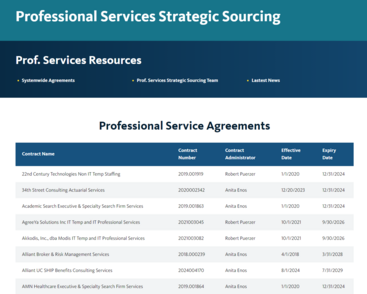
The UCOP Procurement webpage provides a list of all Professional Service Agreements.
Included in the list are executive recruitment search firms who have established systemwide professional services agreements with the University of California.
These firms have provided discount pricing in order to be accepted onto this list and are immediately available to managers because the professional services agreements already exist. A number of the firms offer services specific to particular functions -- like Marketing, Technology and Student Affairs -- others offer unbundled services where, for a lower fee, the firm will conduct only part of the search process. Some suppliers will charge only an hourly rate, and several will consider contingency placement assignments in addition to retained search. The list is managed out of Human Resources, Office of the President.
https://procurement.ucop.edu/systemwide-contracts/professional-services-strategic-sourcing
-
Software
Commodity Experts: Alan Stauffer & Kathy Ensign
Software purchases can take longer than other purchases because they may require security review, vendor risk assessment, and contract review. The fastest way to avoid delays is to engage ITS early and submit complete information up front.
1. Always Check First (Before You Start the Requisition)
☐ ITS Software Catalog - Find approved/vetted software and suppliers.
☐ Campus & UC Agreements - Check whether a contract already exists.
☐ ITS Software Request - If you don’t find what you need, engage ITS early by submitting a request for a consultation before starting a requisition.
2. Determine the Appropriate Purchase Path
When purchasing software, there are two common paths.
Path A: Already Approved / Vetted (Fastest)
Description: Use this path when the software or supplier is already approved or available through an agreement.
Typical Flow:
☐ Check ITS Software Catalog / Agreements
☐ ITS Software Request – Consult (if you cannot find what you need)
☐ Purchase Requisition
☐ Contract Review (as determined by a buyer)
☐ Purchase OrderPath B: New or Not Yet Vetted (More Steps)
Description: Use this path when the supplier or software is not already vetted and ITS was unable to help locate an approved option. A Vendor Risk Assessment (VRA) and additional security/contract review may be required before a PO can be issued. Be sure to plan ahead; this path takes longer and depends heavily on vendor responsiveness.
Typical Flow:
☐ ITS Software Request – Consult
☐ Purchase Requisition
☐ New Supplier Request (if applicable)
☐ Purchase Requisition (updated)
☐ VRA Intake
☐ Data / Risk Classification
☐ Security Review (if required)
☐ Risk Decision
☐ Approval
☐ Contract Review
☐ Purchase OrderNote: ITS maintains a software bypass list of items already reviewed and approved. Consulting ITS early helps confirm whether the VRA process can be bypassed.
3. Build in Extra Time for Security & Contracting
Software requires additional review when it:
☐ Accesses UCR systems
☐ Connects to the network
☐ Touches protected or sensitive dataExpect additional time when software involves:
- PII (personally identifiable information)
- PHI / HIPAA data
- Research data
- Intellectual property (IP)
- Authentication or integrations (SSO, APIs, access to campus systems)
If unsure, submit an ITS request early and ask for guidance. See the UC Protection Level Classification Guide for more information.
4. What Is a Vendor Risk Assessment (VRA)?
A VRA is a due-diligence process used to evaluate security, privacy, and operational risks for third-party software, services, or hardware.
VRA Stages:
☐ Intake – forms and data collected from vendor
☐ Classification – data protection level defined
☐ Prioritize Assessment – P1/P2 and low-level P3 closeout
☐ Security Review – P3 high and P4 full assessment
☐ Risk Decision – risk accepted or remediation recommended
☐ Approval – required before the PO can be finalized
☐ Contractual Review – Procurement reviews T&Cs; InfoSec reviews Appendix DS
5. Common VRA Questions
☐ Do renewals require a VRA? Sometimes. Assessments may need to be refreshed depending on risk and age.
☐ If another department or UC campus uses it, is it approved? Not always. Approval depends on your use case, data type, integrations, and risk level.
6. How to Request a VRA or Security Review
☐ Campus IT Purchases (Intake): ITS Service Catalog → Information Security Consultation → Software Vendor Risk Assessment
☐ School of Medicine IT Purchases (Intake): SOM IT Procurement Page → Software or Hardware Request
Important: If the VRA or Security Review is not initiated before submitting the Purchase Requisition, the requisition will route to ITS and pause there until the review is complete.
7. Build and Submit the Requisition Correctly (To Avoid Rework)
☐ Use the correct purchasing category. Select the category that matches your purchase type. Common software categories include:
- Cmpt Hardware Maint License [546050]
- Cmpt ProgramSys Dev Non Cap [546000]
- Cmpt Software Maint License [546020]
- Cmpt Software Non Inventory [546010]

☐ For complex or multi-year software purchases - Request and attach a pro forma invoice so AP can pay the correct amounts at the correct time (e.g., multi-year or multi-payment software lines).

☐ Structure the requisition for success
- Split lines by year (Year 1, Year 2, Year 3) when invoicing occurs annually
- Separate implementation fees from subscription or license fees
- Split taxable and non-taxable items when applicable
- Ensure each line description clearly states what it represents
☐ Attach required documentation
- Supplier quote, scope of work (SOW), and supplier terms
- Supplier contact information (especially for new suppliers)
- Pro forma invoice (for multi-year or complex payment schedules)
- Required price justification forms (e.g., Source Selection Price Reasonableness (SSPR) form, if applicable—required for purchases over $100K, or $10K+ when using federal funds)
- Risk acceptance, exception, or approval documentation from ITS, Risk, or Procurement
8. Avoid the #1 Cause of Delays
Supplier back-and-forth causes the most delays. To reduce risk:
- Engage ITS early using the software request form
- Provide complete supplier contact information upfront
- Ask vendors for a pro forma invoice when payments span multiple years
- Confirm early that the vendor can meet security and contractual requirements
- Avoid starting a requisition until the approval path is clear
Need Help?
If you’re stuck, start with an ITS software request and include supplier name, URL, what the tool does, who will use it, any documentation/agreements, and what data it will touch.
-
Temporary Workers
Commodity Expert: Gae Purvis
The Human Resources department has revised the Temporary Worker Guidelines to permit assignment of temporary workers to exceed six (6) months when the individual is assigned part-time or intermittently. Campus departments who utilize temporary staffing agencies to assign a worker on a specific project or work assignment may allow the worker to remain in an assignment for less than 1,000 hours in a 12-month period or six (6) months, whichever is longer.
- For information on identifying, placing and managing temporary worker assignments, refer to the guidelines at https://hr.ucr.edu/talent-acquisition/temporary-employment-services.
- If you have questions, please call Deborah Page at extension 2-3128 or email at deborah.page@ucr.edu.
As a reminder, all requests for temporary workers must be secured through the systemwide co-primary agreements awarded in the following categories to the indicated vendors:
-
Veterinarian Medical Supplies
Commodity Experts: Katie Inglett-Mendoza
Licensing Requirements:
State regulations mandate a valid DVM/MD license and an appropriate facility license (e.g., USDA or NIH) to order veterinary and medical supplies. Orders tied to personal licenses rather than campus-wide licenses will not be processed as they do not meet regulatory standards.
Affected Items (not comprehensive):
Anased/Xylazine, Bupivacaine, Carprofen, Catheters, Isoflurane, IV Fluids (Sodium Chloride, Lactated Ringers, IV Lines), Ketoprofen, Needles, Saline, Sterile Empty Vials, Syringes, T Connectors
Ordering Process:
- Payment Method: PCards are not allowed. Use a Purchase Requisition with account code (purchasing category) 541415 - Veterinarian Medical Supplies.
- Approval Workflow: Orders with COVETRUS will automatically route to Procurement Services for approval by Dr. Akiko Sanders.
- Processing Time: Orders may experience delays. Initiate your requests as early as possible.
New Account Requests: Labs that frequently order these items and have both a DVM/MD license and a matching facility license can request a separate account with COVETRUS to expedite approvals. To set up a new account, email Katie Inglett-Mendoza.